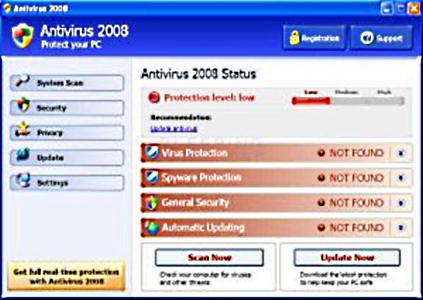
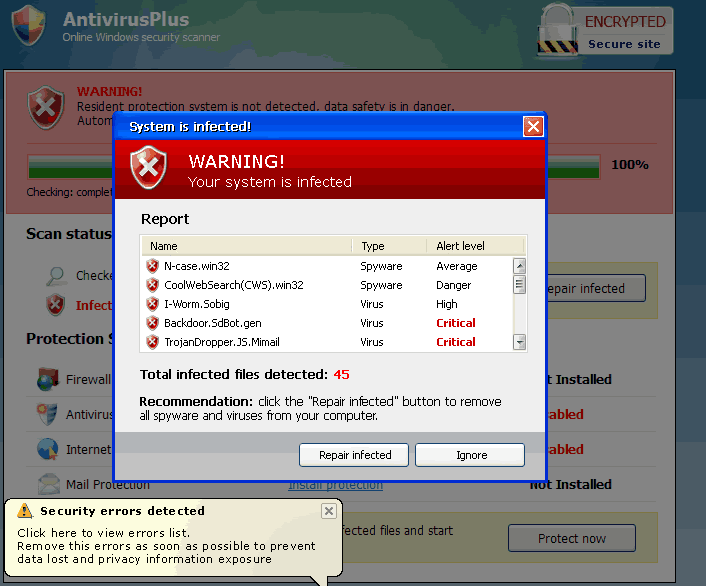
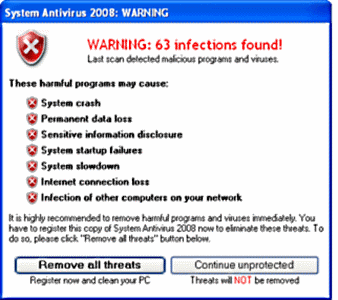
| Help - I'm infected! - Not!!! | | These screen shots (click any photo for a larger image) are all fake virus warnings. Click on them, even to close, will install a virus on your system. Use task manager to close the program or shut down you system. Then call the doctor - 210.422.8049 ext.21 |  | This incarnation of AV 360 also uses more powerful techniques in order to keep it from being uninstalled. First, it will terminate popular anti-malware programs such as MalwareBytes' Anti-malware so that you cannot use them to remove this program. This technique is easily overcome by using a different browser such as Firefox, Safari, Opera, or Chrome. | | Total Security is a rogue anti-spyware program that is a clone of Antivirus 360. This program is installed via Trojans that display fake security alerts about threats to your computer and then installs Total Security without your permission on to your computer. Once installed, Total Security will scan your computer and display a variety of infections that cannot be removed until you purchase the program. These infections, though, do not really exist and are being shown to scare you into purchasing the program. While running, Total Security will constantly barrage you with nag screens and fake security warnings about problems on your computer. Just like the fake infection results, these alerts are just a tactic being used to scare you into purchasing the program. Last, but not least, you will see a window labeled Total Security Protection Center that impersonates the legitimate Windows Security Center. This protection center states that your computer has no protection and recommends that you purchase Total Security. It goes without saying that you should not purchase anything from this company. | 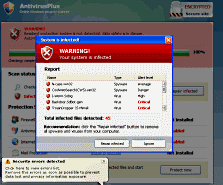 | 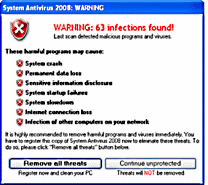 | | |